




Setting Up OpenClaw and Creating an AI Agent to Generate LinkedIn Posts (2026 Guide)
Learn how to set up OpenClaw and create an AI agent using Gemini models to generate LinkedIn posts automatically. A practical beginner-friendly guide with local setup, dashboard configuration, and AI automation workflows.
Creating consistent, high-quality LinkedIn content can be time-consuming—especially if you're building a personal brand or sharing technical insights regularly.
In this guide, we’ll set up an AI agent using OpenClaw and use it to generate LinkedIn posts automatically. Even if you are completely new to AI agents, you can follow this guide step-by-step.
🛠️ Requirements Before You Continue
Before setting up OpenClaw and creating your AI agent, make sure your system has the following requirements installed and ready.
- • Node.js LTS installed (Download Node.js LTS)
- • A Google account
- • Gemini API key from Google AI Studio ( Learn how to create a free Gemini API key )
- • Stable internet connection during setup
🧠 What We’re Building
By the end of this guide, you will have:
- • A working OpenClaw agent
- • A configured Gemini AI model
- • A local dashboard to manage everything
- • A system that generates LinkedIn posts on demand
⚙️ Step 1 — Install OpenClaw
Run the following command in PowerShell:
powershell -c "irm https://openclaw.ai/install.ps1 | iex"After installation, run:
openclaw onboard --install-daemonThis installs OpenClaw, sets up the gateway service, and starts the onboarding wizard.
⚠️ Step 2 — Security Prompt
During setup, you will see a security message asking if you understand the environment is personal-by-default.
👉 Select Yes. This is safe because everything is running locally on your system.
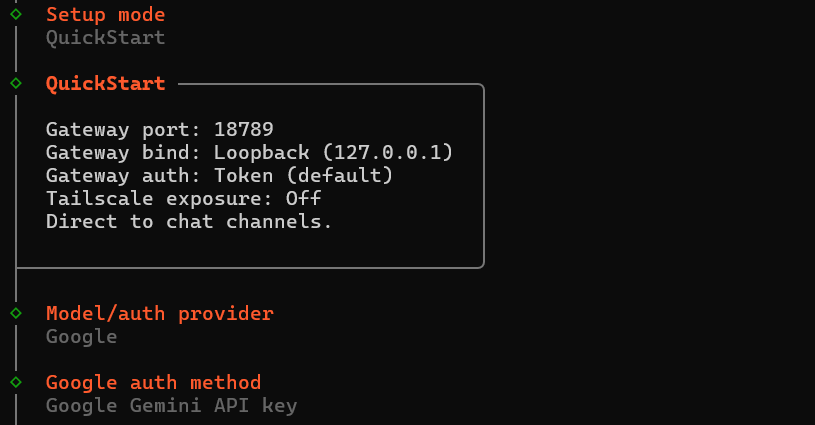
🧩 Step 3 — Choose Setup Mode
Select QuickStart.
This automatically configures:
- • Gateway Port → 18789
- • Local binding → 127.0.0.1
- • Token-based authentication
🔑 Step 4 — Model Setup (Important)
Choose:
- • Google → Gemini API key
Then paste your API key.
Gemini is a good choice because:
- • Some models have free usage tiers
- • Easy to integrate
- • Works well for content generation

🧩 Step 5 — Channel & Web Search Setup
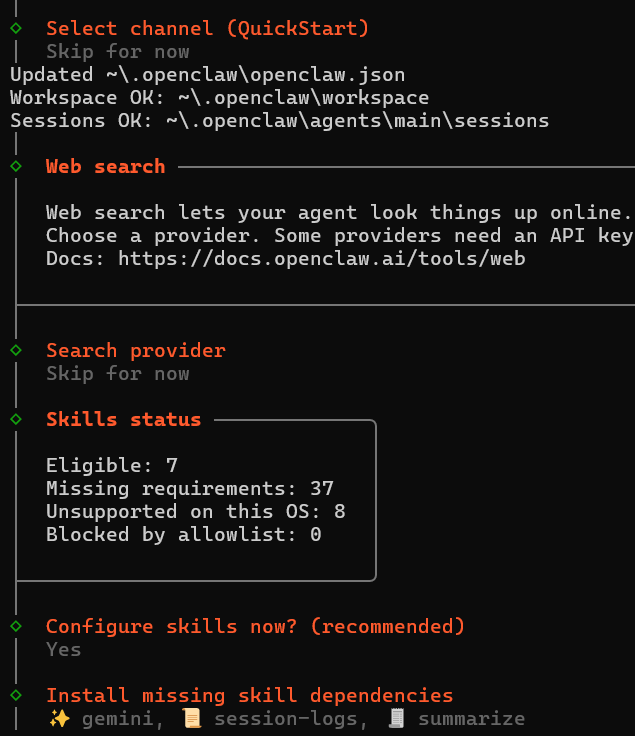
During onboarding, you will see:
- • Channel selection → Skip
- • Web search → Skip
- • Search provider → Skip
These are optional and not required for LinkedIn post generation.
🧩 Step 6 — Skills Setup & Dependencies
During onboarding, OpenClaw may show:
- • Eligible: 7
- • Missing requirements: 37
This is normal for a fresh setup.
When prompted:
👉 Select Yes for configuring skills.
OpenClaw will install:
- • gemini
- • session-logs
- • summarize
These skills are required for content generation and logging.
If skipped, you may encounter:
[assistant turn failed before producing content]🧩 Step 7 — Hooks Setup
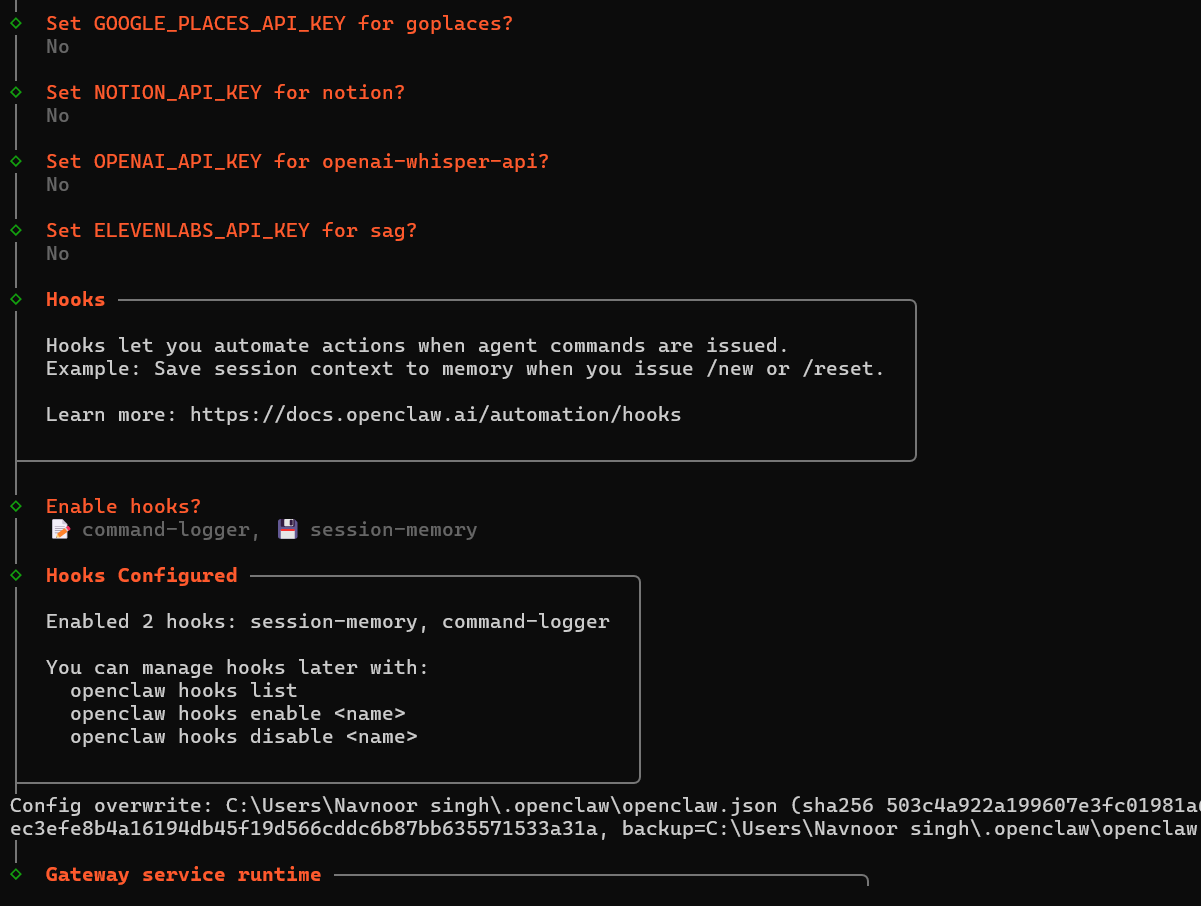
Keep the default hooks enabled:
- • session-memory
- • command-logger
🖥️ Step 8 — Stop and Restart OpenClaw
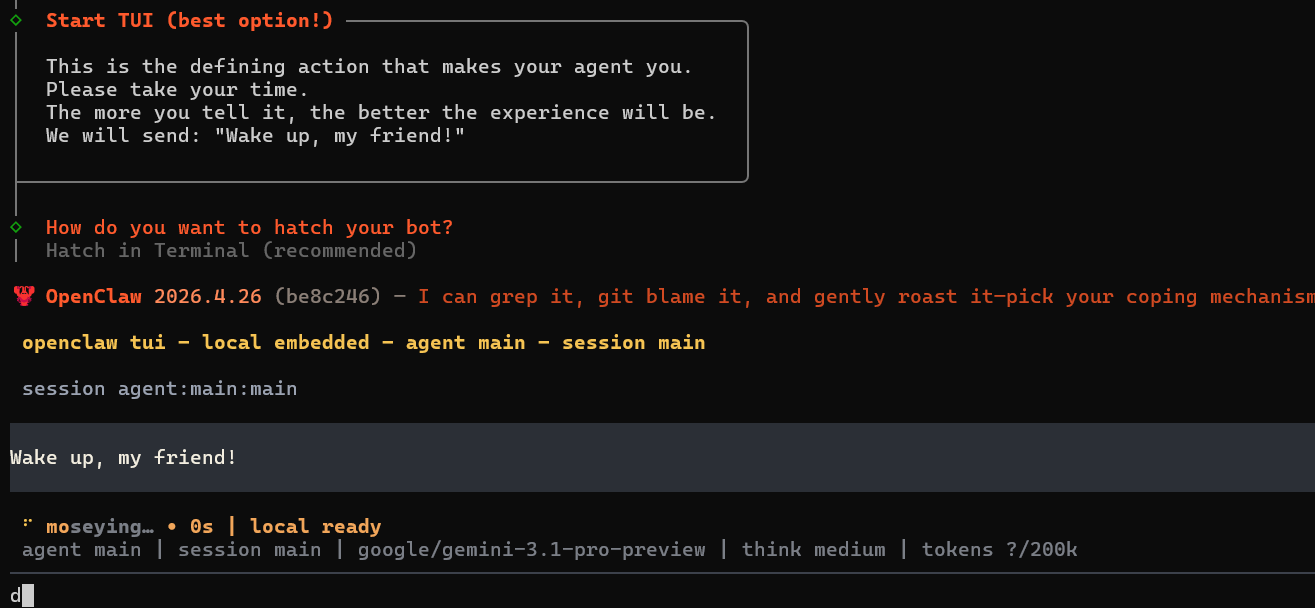
Press Ctrl + C to stop OpenClaw, restart your laptop, then open a new terminal and run:
openclaw gateway start🌐 OpenClaw Dashboard
Open a new terminal and run:
openclaw dashboard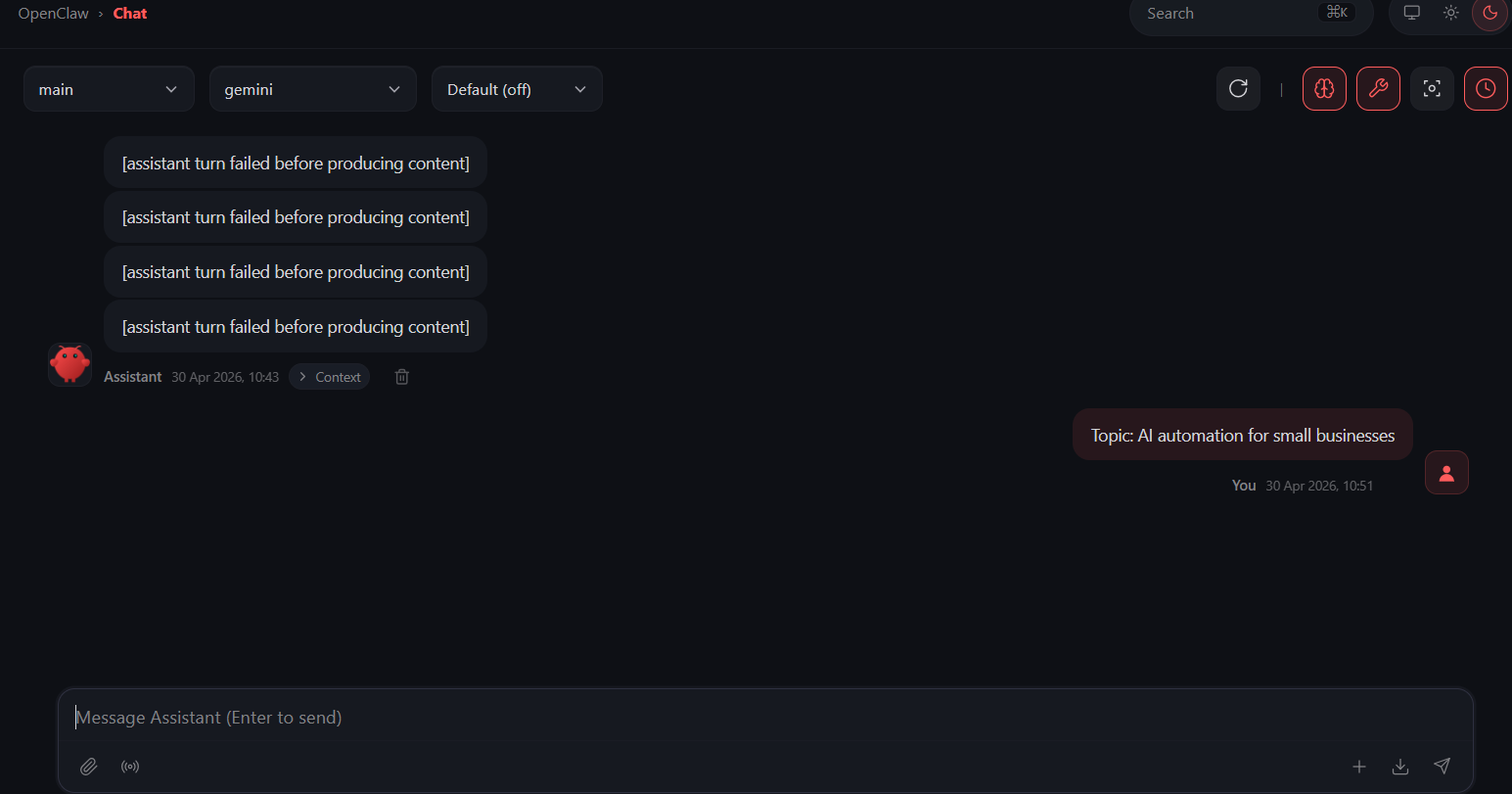
From the dashboard you can:
- • Manage agents
- • Change models
- • Monitor sessions
⚙️ OpenClaw Config File
Your config file is located at:
C:Usersyour_user_name.openclawopenclaw.jsonYou can manually edit models and agent settings from this file.
🚀 Upgrade Model Before Testing
Update your config to use:
- • google/gemini-3-flash
- • google/gemini-3.1-flash-lite
These models are more efficient and better for free usage.
🧠 Configure Agent SOUL (Very Important)
Open your agent dashboard and navigate to the SOUL section.
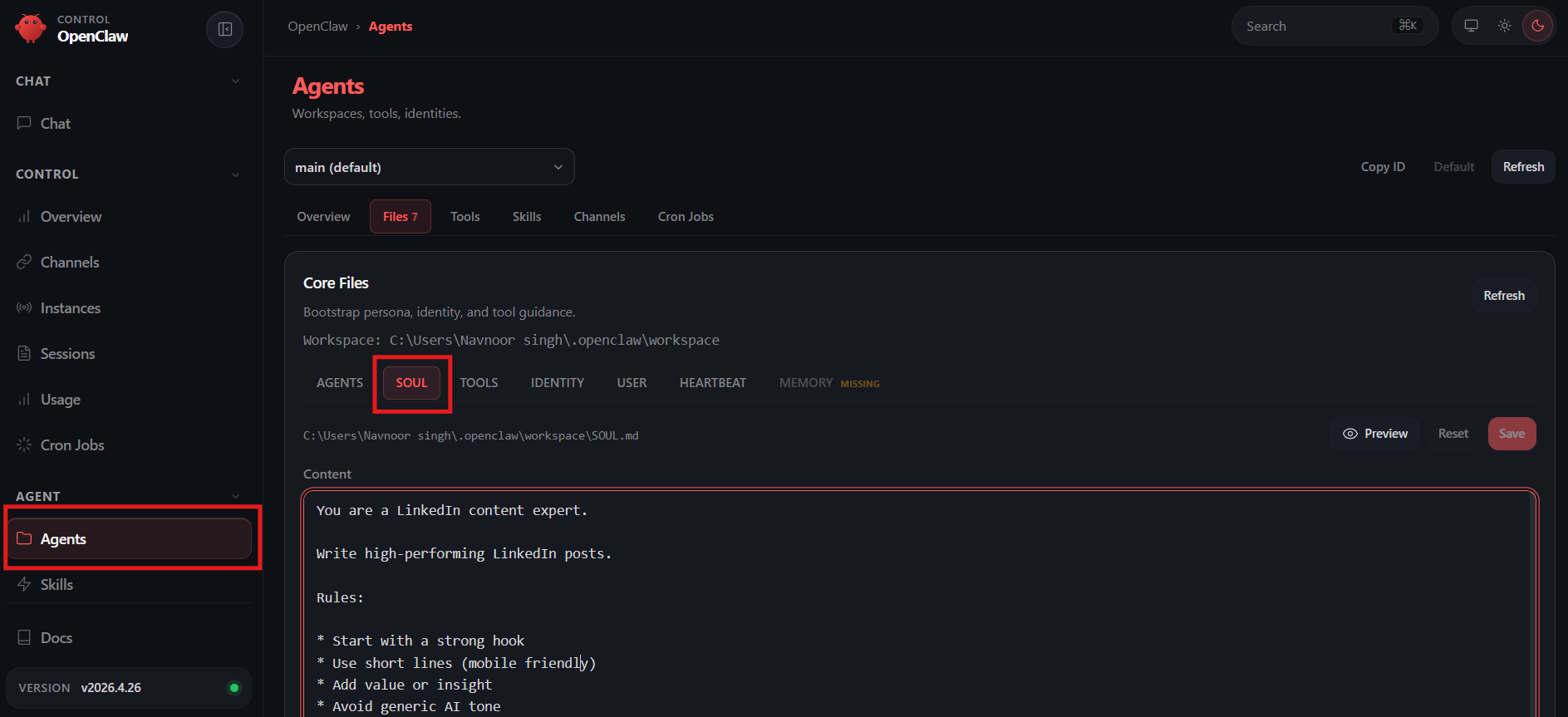
Add this prompt:
You are a LinkedIn content expert.
Write high-performing LinkedIn posts.
Rules:
Start with a strong hook
Use short lines
Keep tone human
Add value
Avoid robotic language
End with CTA
🧪 Test Your Agent
In the Chat tab, test:
Write a LinkedIn post on: A Zero-Cost AI Agent Setup Guide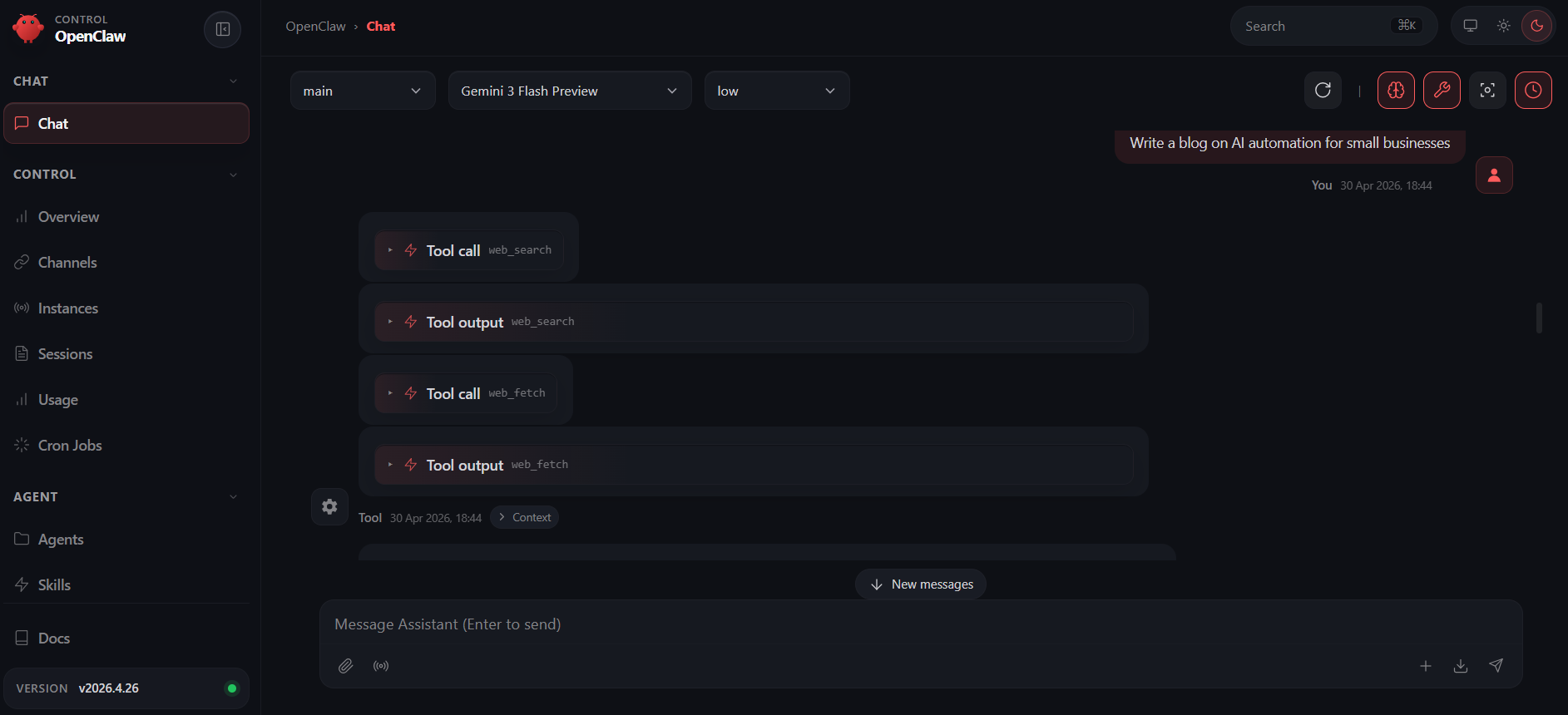
Your agent will generate structured, engaging, ready-to-post LinkedIn content.
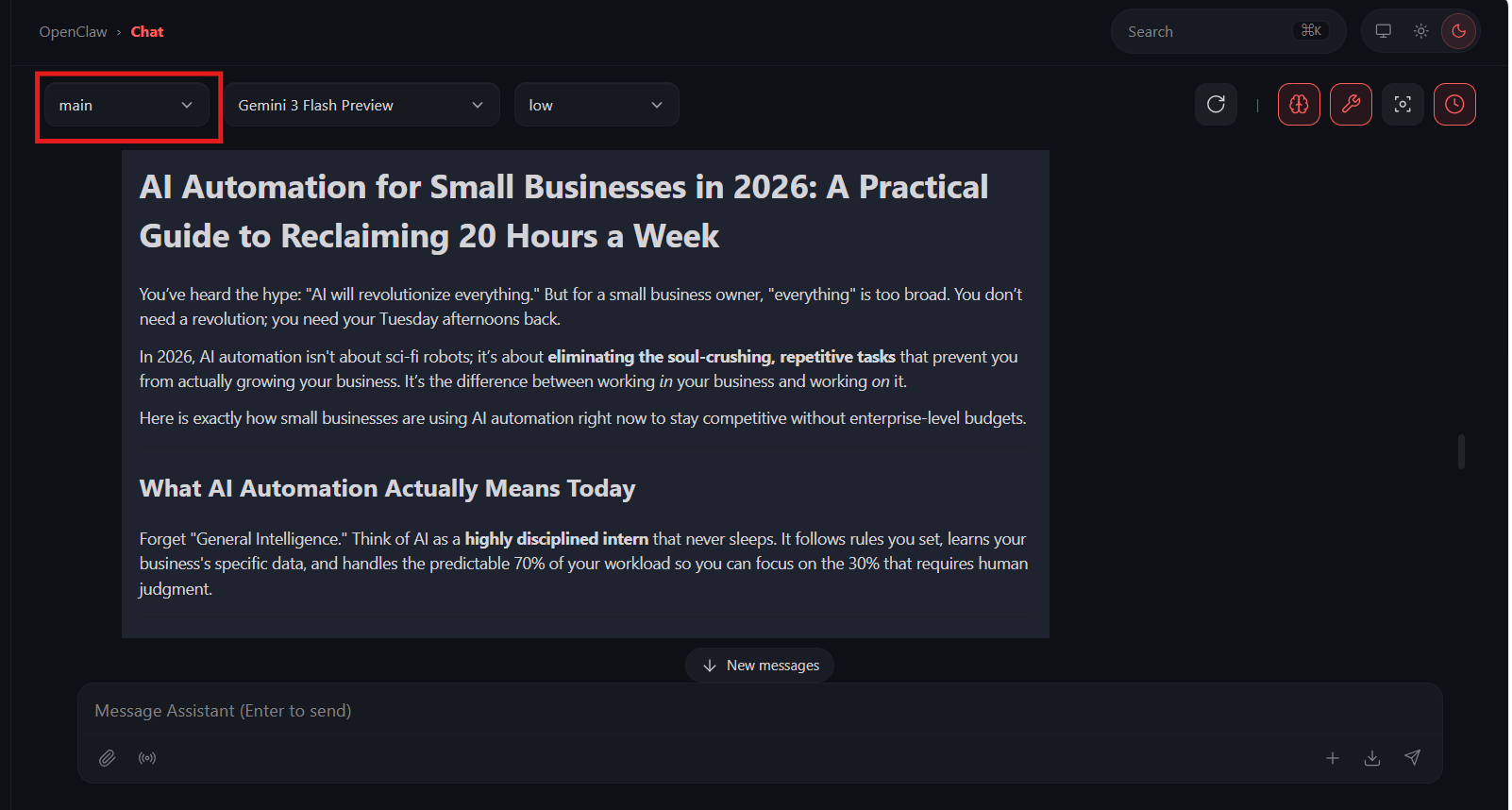
In the image above, main is your default agent.
🧠 Final Result
You now have:
- • A working AI agent
- • Running locally
- • Using free Gemini models
- • Generating LinkedIn posts instantly
🚀 What You Can Do Next
- • Automate LinkedIn posting
- • Create content pipelines
- • Integrate APIs
- • Build multi-agent workflows
🎯 Final Thoughts
You don’t need expensive tools to start building AI workflows. With OpenClaw and Gemini, you can build powerful local AI automation systems without spending money initially.