



If you're building AI apps, chatbots, or automation tools, Google AI Studio, also known as Gemini API, is one of the easiest and cheapest ways to start, especially because it offers a generous free tier.
In this guide, you’ll learn how to get your Google AI Studio API key, which Gemini models are free, which models are paid, and when you actually need to pay.
- • How to get your Google AI Studio API key
- • Which Gemini models are free
- • Which Gemini models are paid
- • When you actually need to pay
🧠 What is Google AI Studio?
Google AI Studio is a browser-based tool where you can test prompts, build AI agents, generate code, text, images, and create API keys for Gemini models.
- • Test prompts
- • Build AI agents
- • Generate code, text, images, and more
- • Create API keys for Gemini models
The best part is that AI Studio itself is completely free. You do not need any subscription to use the platform.
🔑 Step-by-Step: How to Get Google AI Studio API Key
1. Open Google AI Studio
Go to https://aistudio.google.com and log in with your Google account.
2. Open API Key Section
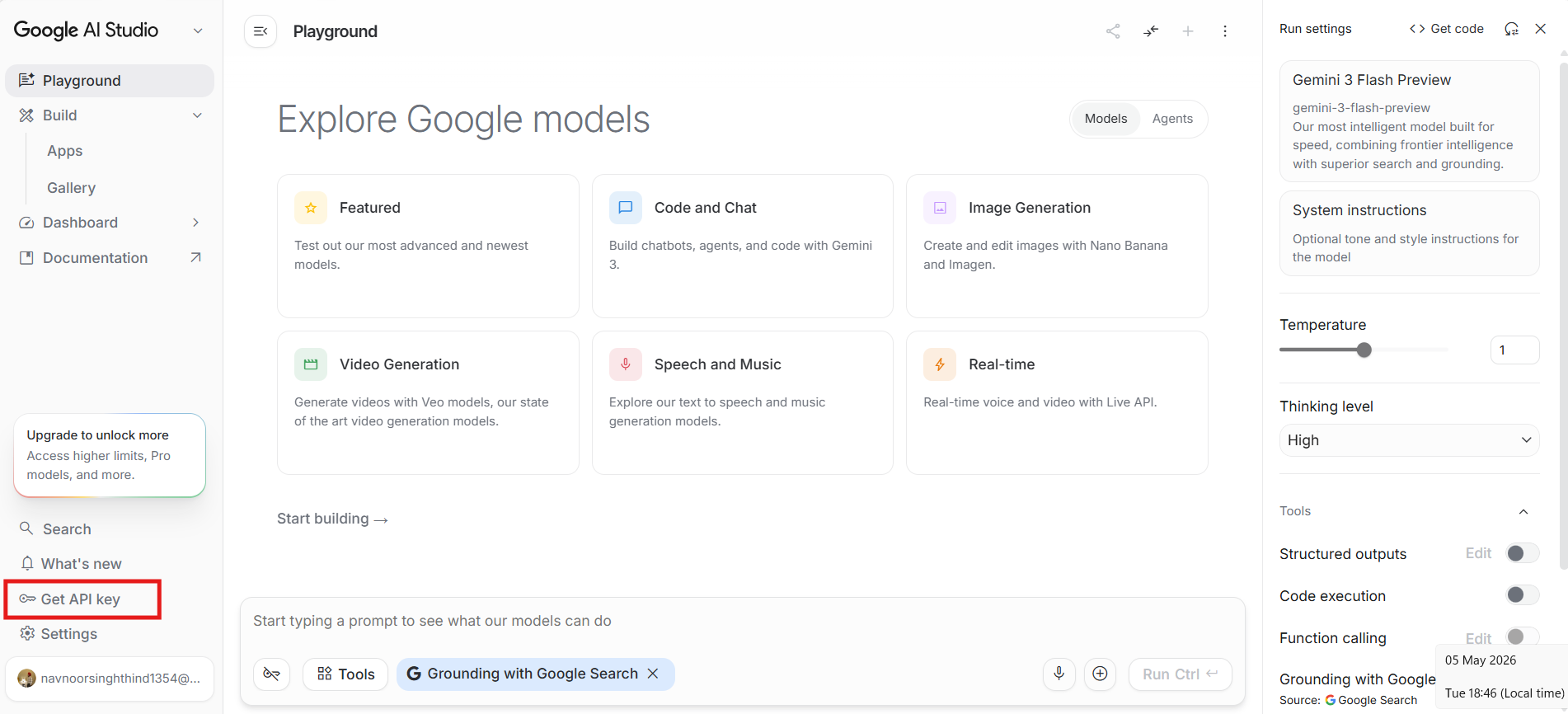
In the dashboard, click Get API key or go to the sidebar and open the API Keys section.
3. Create API Key
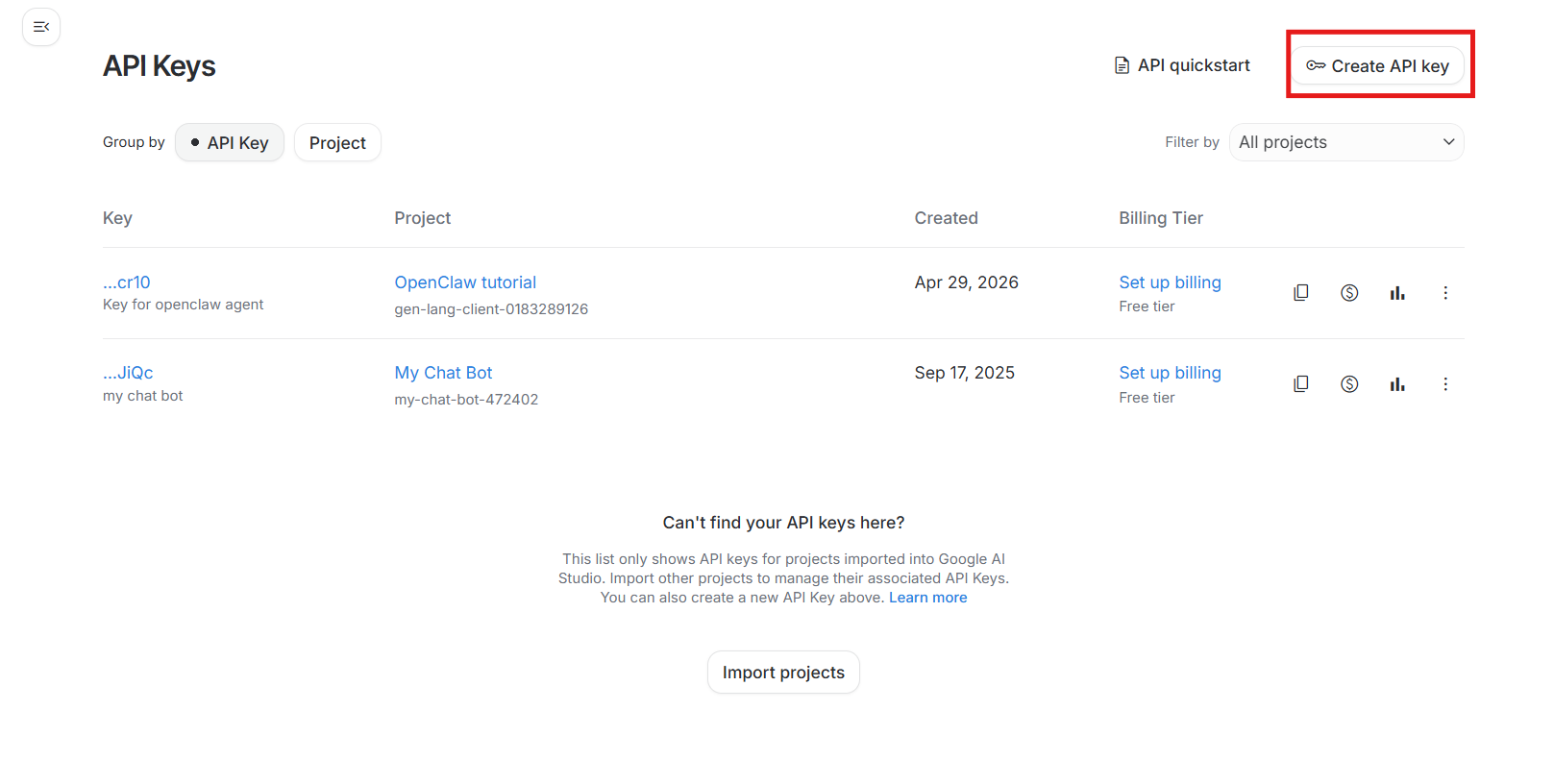
Click Create API Key, select an existing project or allow Google AI Studio to auto-create one, and continue.
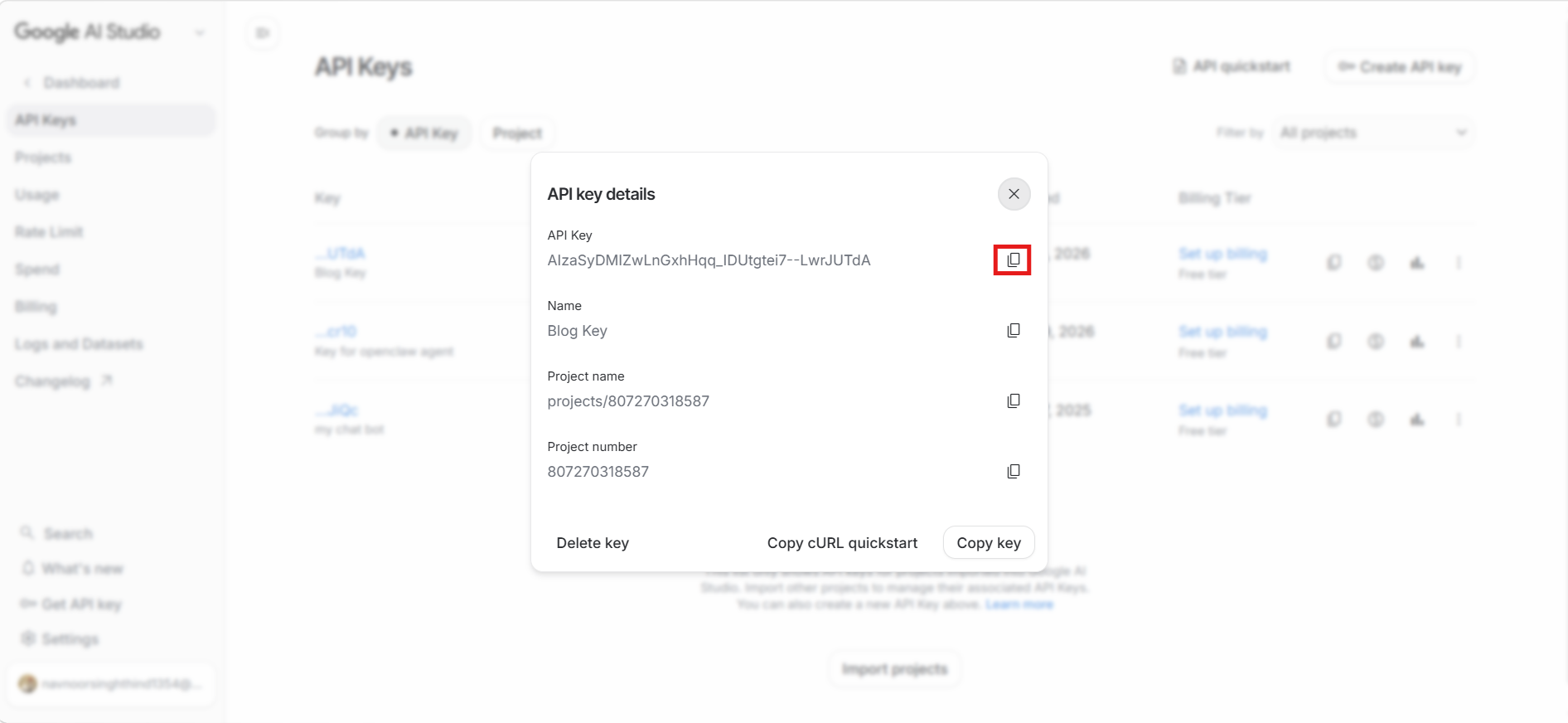
Copy your API key and store it safely. You will need this key to connect your app with Gemini models.
4. Use API Key in Code
Below is a simple Node.js example using the Gemini API key.
export GEMINI_API_KEY='your_api_key_here'

import { GoogleGenerativeAI } from '@google/generative-ai';

const genAI = new GoogleGenerativeAI(process.env.GEMINI_API_KEY);

const model = genAI.getGenerativeModel({
  model: 'gemini-2.5-flash'
});

const result = await model.generateContent('Explain React in simple terms');

console.log(result.response.text());
💸 Pricing Explained
Google AI pricing works in three simple layers:
- • AI Studio UI: Free
- • Gemini API Free Tier: Free but limited
- • Gemini API Paid Tier: Pay-as-you-go
🆓 Free Models in Google AI Studio
Popular free models usually include:
- • Gemini 2.5 Flash
- • Gemini 2.5 Flash-Lite
- • Gemini 2.0 Flash
- • Gemini 3 Flash preview
- • Gemma open models
Free Tier Limits
- • Rate limited usage
- • Lower priority performance
- • Data may be used to improve models
💰 Paid Models
Paid usage is required when you need advanced models, higher limits, or production-level reliability.
- • Gemini 3.1 Pro
- • Imagen for image generation
- • Veo for video generation
- • Lyria for music generation
⚖️ Free vs Paid Comparison
The free tier is best for learning, testing, demos, and small side projects. Paid usage is better for production apps, large-scale usage, and business tools that need stable performance.
Free Tier
- • Free cost
- • Limited models
- • Strict rate limits
- • Moderate performance
- • Not ideal for production
Paid Tier
- • Pay-as-you-go
- • Access to more models
- • Higher limits
- • Better performance
- • Recommended for production
🔥 When to Use Free vs Paid
Use the free tier when you are learning AI, building side projects, testing prompts, or creating demos. Use the paid tier when you are building production apps, handling high scale, using advanced models, or working with sensitive business workflows.
⚠️ Important Warning
- • Never expose your API key publicly
- • Never add API keys directly in frontend code
- • Rotate keys regularly
- • Add usage limits and monitoring
🧩 Pro Tips
- • Start with gemini-2.5-flash
- • Use free tier for development
- • Switch to paid when scaling
- • Use environment variables for keys
🎯 Final Thoughts
Google AI Studio is beginner-friendly, offers free access, and provides competitive pricing. You can build AI SaaS products, chatbots, and automation tools without spending anything initially.